
greenhouse ats
Pass Greenhouse ATS in 2026: Recruiter Guide | JobSparrow
By Job Sparrow Team
Introduction: Both sides of the Greenhouse ATS screen
You spot a dream role at a high-growth tech company and notice the URL starts with job-boards.greenhouse.io or boards.greenhouse.io. You upload your carefully polished resume (or CV, if you are applying in the United Kingdom, Australia, or New Zealand) and click submit. Then comes the frustration every modern job seeker knows too well: either you receive a generic rejection email hours later and wonder does Greenhouse ATS auto reject resumes using a secret AI bot, or your application vanishes into total silence.
When you cannot see the other side of the software, it is easy to assume an algorithm rejected you for missing a magic keyword percentage. In reality, your application usually fails in Greenhouse for two concrete reasons. First, a two-column graphic layout or a file exceeding 2.5 MB quietly broke how Greenhouse parses resumes in the background. Second, when the recruiter opened your file, your experience bullets failed to prove the specific focus attributes listed on their grading rubric.
Research from Harvard Business School and Accenture's 2021 Hidden Workers report found that more than 90% of employers use technology to filter or rank candidates, and 88% agree that qualified high-skills candidates are screened out because they don't match the exact criteria in the job description.
At JobSparrow, we know what happens inside that software because we have sat on both sides of the hiring table. Built by hiring professionals who have collectively reviewed 100,000+ resumes and hired across four markets (the United States, Australia/NZ, Singapore, and Hong Kong), and tuned with two of New Zealand's award-winning HR leaders, we evaluate applications through a real recruiter lens. Our comparison of ATS-friendly resume builders vs. recruiter reality explains why passing the parser is only half the battle.
To move smoothly along the five-stage Offer Path (Diagnose, Position, Execute, Prepare, Close), you need a resume that satisfies both the machine parser and the human scorecard. Before your next application, start with a free diagnosis to get your recruiter-lens score out of 100 and see the exact gaps costing you interviews.
Does Greenhouse ATS auto-reject resumes? Myth vs. 2026 reality
Let us put the biggest myth in modern job hunting to rest right away. Greenhouse does not use an AI bot to read your resume and automatically reject you based on a missing keyword score.
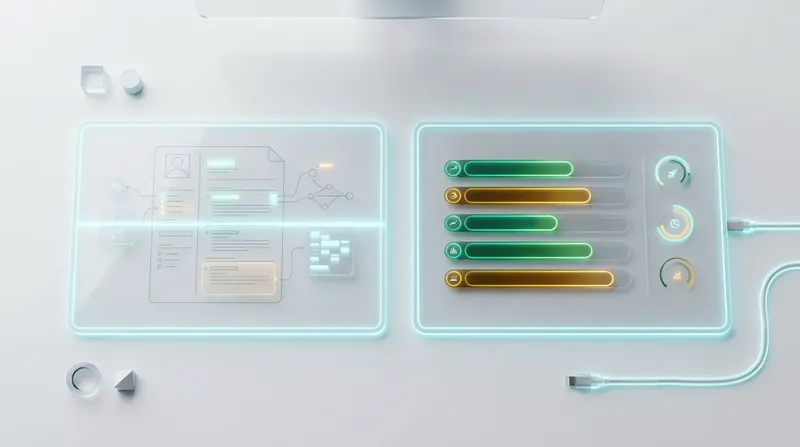
Many online resume checkers try to scare you into chasing an arbitrary "80% keyword match" by claiming the Applicant Tracking System (ATS) deletes anything lower. As we explain in our guide on why a high ATS score still gets rejected by recruiters, Greenhouse was specifically architected around human-in-the-loop "Structured Hiring." Every resume that passes the initial form questions is placed into the Application Review stage for a recruiter or hiring manager to inspect.
Employment guidance across Western markets reinforces this human oversight. For example, the UK Government's non-binding 'Responsible AI in Recruitment' guidance (DSIT, March 2024) encourages transparency, fairness, and routes to contest decisions, positioning automated tools as support for human recruiters.
If Greenhouse does not auto-reject resumes based on AI keyword counting, why do candidates still get automated rejection emails? The answer lies in deterministic application form rules.
What you can do right now:
- Stop stuffing hidden white-font keywords or repetitive skill clouds into your footer. Greenhouse does not grade you on keyword density.
- Separate your strategy into two distinct steps: passing the custom dropdown form questions (to avoid rule-based auto-rejection) and formatting your document cleanly (to rank well in AI Talent Matching and human review).
How Greenhouse knockout questions and auto-advance rules work
According to Greenhouse Support's official documentation on auto-reject application rules, an automated rejection can only be triggered by custom job post questions that use Yes/No, Single-select, or Multi-select answer types. Free-text boxes and uploaded resume files cannot trigger an auto-reject rule.
When a candidate selects a disqualifying answer on a knockout question, Greenhouse automatically moves their profile to the rejected stage without even notifying the recruiter. Greenhouse lets employers choose whether to send a rejection email and lets recruiters delay it, so the email may arrive hours or days after you apply.
Here is the insider secret from the recruiter side of the table: Greenhouse uses that exact same rule engine for Auto-Tag and Auto-Advance rules. When a hiring team urgently needs a specific credential, security clearance, or SaaS domain background, they configure a Single-select dropdown that automatically tags your profile or skips you past the general pile straight into the hiring manager's review queue.
Actionable tips for migrants and career changers in the US, UK, AU, and NZ:
- Read work authorization questions carefully: Employers often ask two separate Yes/No questions: "Are you currently legally authorized to work in [Country]?" and "Will you now or in the future require visa sponsorship?" If you hold a valid post-study, partner, or graduate visa in the UK, Australia, New Zealand, or the US (such as OPT), your answer to the first question is Yes. Never select "No" on current authorization if you already hold valid work rights.
- Treat "Years of Experience" dropdowns strategically: If a Single-select dropdown asks whether you have 3+ years of experience in a core competency, career changers should include equivalent functional experience from adjacent roles rather than counting only their target job title. If the employer has set an Auto-Reject rule on that question, a low answer can reject you automatically.
Inside Greenhouse Real Talent AI: Match bands, fraud filters, and opt-outs
In 2026, high-volume employers use Greenhouse's Real Talent suite and AI-Assisted Talent Matching to handle thousands of incoming applications. Instead of assigning a percentage score, Greenhouse Talent Matching evaluates your parsed resume against recruiter-weighted calibrations (such as target job titles, core skills, and recency of experience) and places you into one of five qualitative match bands:
- Strong Match
- Good Match
- Partial Match
- Limited Match
- Needs Manual Review
Strong, Good, Partial, and Limited match reflect how closely your resume aligns with the recruiter's weighted calibration. Needs manual review applies when you opt out or your resume can't be analysed.
Real Talent includes fraud and spam detection and optional CLEAR identity verification to block bot-driven mass applications. Just as we warn candidates in our breakdown of why stealth AI copilots get you flagged in interviews, relying on automated shortcuts rather than genuine application tailoring can hurt your chances with modern hiring teams.
Should you use the Greenhouse AI opt-out option if the employer offers it? Some employers turn on Greenhouse's optional candidate AI opt-out, which appears as a link in the job post's AI disclaimer and applies to that job only.
- Stay opted in if your career history is linear and your recent job titles closely match the posting. Being sorted into the "Strong Match" band puts you at the very top of the recruiter's morning review list.
- Consider opting out (if the employer offers it) if you are making a sharp career pivot or have non-standard international titles that you cannot easily normalize. Opting out places your application into the "Needs manual review" band, ensuring a human checks your profile without ranking you in the "Limited Match" tier first.
The recruiter split-screen view: Why parsing and visual layout both matter
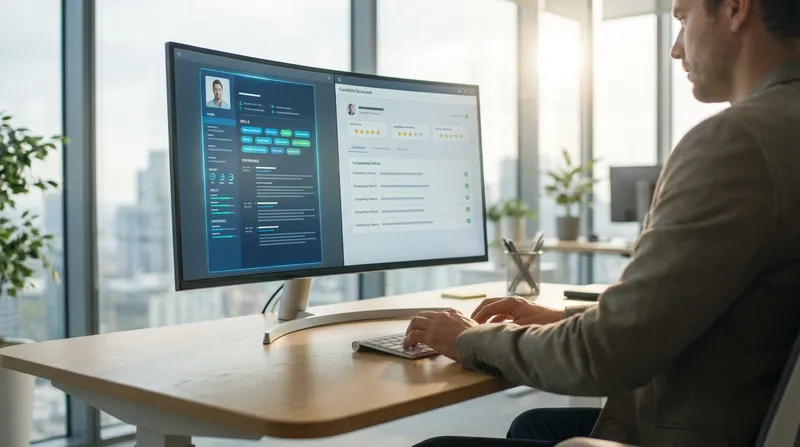
To understand how to format your resume for Greenhouse, you need to picture what the recruiter sees when they click "Application Review."
Greenhouse uses a split-screen interface:
- On the left side of the screen: Greenhouse renders a visual preview of your uploaded PDF or Word document.
- On the right side of the screen: Greenhouse displays your parsed profile fields (Current Title, Current Company, Education, Employment History, and Tags) alongside the job's evaluation tabs.
This dual interface creates a common trap for applicants. If you upload a visually complex, graphic-heavy PDF, it might look attractive to the human recruiter on the left pane. However, if that design scrambles the background text parser, the right pane will show broken data, and your profile will never surface when the recruiter filters their talent pool by skill keywords, company names, or AI match bands.
Conversely, if you upload a plain-text wall of unformatted keywords, the parser on the right pane will read every word, but the human recruiter scanning the left pane for 10 seconds will struggle to find your impact and click "Reject." Modern evaluation systems demand both machine readability and human clarity, a trend we also examine in our guide on how to pass the Ashby ATS and AI criteria evaluations.
Actionable step to master the split-screen view:
- Use a clean, single-column layout with clear visual hierarchy: bold 11-12pt role headers, 10-11pt body font (such as Inter, Calibri, Arial, or Garamond), and generous white space between roles so the recruiter's eye lands immediately on your quantified results.
The 2.5 MB file size trap (and why 100 MB uploads fail silently)
Here is one of the most dangerous technical traps in Greenhouse, and almost no career advice blogs talk about it. When you apply on a Greenhouse job board, the file upload widget accepts files up to 100 MB.
However, according to Greenhouse Support's official documentation on unsuccessful resume parses, Greenhouse Recruiting cannot parse any resume larger than 2.5 MB.
If you export your resume from a graphic design platform with embedded high-resolution fonts, vector icons, headshots, or portfolio graphics, your PDF can easily weigh 3 MB to 8 MB. When you upload that 4 MB PDF to Greenhouse:
- The upload bar turns green and accepts your file (because it is under 100 MB).
- You receive zero warning messages that anything went wrong.
- Behind the scenes, the Greenhouse parser completely aborts the scan because the file exceeds 2.5 MB. Your file is attached as a raw document, every single parsed candidate field stays blank, and Real Talent AI cannot match your skills.
Your 30-second pre-upload file checklist:
- Check the file size: Right-click your final PDF or DOCX file and check "Properties" (Windows) or "Get Info" (Mac). Ensure it is strictly under 2.0 MB (ideally between 100 KB and 600 KB).
- Test text selectability: Open your PDF, press
Ctrl+A(orCmd+A), copy the text, and paste it into a plain text editor like Notepad. If the text pastes in the exact top-to-bottom order you wrote it without missing characters, Greenhouse will parse it cleanly. - Strip embedded media: Remove profile photos, company logos, and skill progress bars. In the US and UK, photos are strongly discouraged due to anti-bias standards, and in Australia and New Zealand they bloat file sizes without adding scorecard evidence.
Why two-column resumes and bare company names break the parser
Many job seekers ask whether a two column resume in Greenhouse ATS is safe. While modern parsers have improved, two-column layouts, sidebars, and floating text boxes remain a top cause of corrupted candidate profiles in Greenhouse.
When Greenhouse extracts text from a multi-column PDF, its optical and text-layer reader often reads straight across the horizontal axis from left to right. A narrow left sidebar listing your skills (Python | SQL | Tableau) sits right next to your work history column (Senior Data Analyst, 2023 - Present). The parser merges those lines into gibberish: Python SQL Senior Data Analyst Tableau 2023. As a result, Greenhouse fails to extract both your job title and your dates of employment.
In addition, Greenhouse's resume parsing documentation highlights two entity-recognition quirks that hurt international migrants and startup employees:
- Bare company names: If you worked for a mid-sized business, a regional firm in Auckland, Sydney, or Manchester, or an early-stage startup whose name is a common noun (e.g., "Notion" or "Clarity"), the parser may not recognize it as an employer unless you include a corporate identifier (
Inc.,Ltd,Pty Ltd,LLC) or clear location context. - Abbreviated or internal job titles: Writing
Sr. PMor an internal title likeLevel 4 Ninjaprevents Greenhouse from mapping your seniority to the recruiter's Talent Matching calibrations.
For a visual look at how clean, single-column regional formatting transforms recruiter response rates, see our before-and-after New Zealand CV examples and templates.
How to format your work experience header for 100% parse accuracy:
- Before (Fails Entity Parsing):
Sr. Ops Lead | Velocity | '22 - Present - After (Passes Greenhouse Parser & AI Calibration):
Senior Operations Lead | Velocity Logistics Pty Ltd (Sydney, AU) | March 2022 - Present
Greenhouse scorecards and Focus Attributes: What hiring panels actually grade
Once your resume parses cleanly and lands in front of the recruiter, how do they decide whether to invite you to an interview in 10 seconds?
They look at the right side of their split screen, where the Greenhouse Scorecard lives. According to Greenhouse's official guidelines on Scorecard Focus Attributes, hiring teams define scorecard attributes for the role and choose a few focus attributes for each interview (Greenhouse's research suggests three to five). These attributes are grouped into categories such as Technical Skills, Domain Experience, Leadership, and Role-Specific Outcomes.
For each stage of the hiring funnel (starting with the Resume Screen and Recruiter Phone Screen), the hiring manager highlights specific Focus Attributes. Every evaluator grades your profile against those attributes using Greenhouse's standardized 5-point scale:
- Definitely Not
- No
- Mixed / Neutral
- Yes
- Strong Yes
This is why generic resumes fail even when they contain the right keywords. If a Focus Attribute on the scorecard is "Enterprise B2B SaaS Retention," simply listing "Customer Retention" in a skills section at the bottom of page two is not enough for a recruiter to mark a Yes. They need to see concrete evidence in your top work history bullets showing the scale, context, and measurable outcome of your retention work.
Better yet, the role's scorecard attributes carry through the hiring loop, though each interview stage focuses on a different subset. Understanding what panels grade early helps you dominate later rounds, which we cover in depth in our guide to PM mock interviews and what hiring panels actually score.
How to reverse-engineer Focus Attributes from any job description
You do not need internal access to a company's Greenhouse account to anticipate what is on their scorecard. Job descriptions usually reflect the attributes the team will assess, so the requirements section is your best clue to the scorecard.
Use this repeatable 3-step method to extract the likely evaluation criteria and position your resume:
- Isolate the core attributes: Copy the top four bullets under "What You'll Do" (Responsibilities) and the top four to six bullets under "What You'll Bring" (Requirements). Strip away the filler words. What remains (e.g., Cross-functional roadmap execution, SQL & Python data modeling, Team mentorship) represents the core competencies the recruiter is evaluating.
- Spot the non-negotiable must-haves: Look for explicit qualifiers like "Must have," "5+ years in X," or specific regulatory or market experience (e.g., HIPAA compliance, FCA regulated environment, or ANZ enterprise sales). Place proof of these in your Professional Summary and the first two bullets of your most recent role.
- Write evidence-backed bullets for a "Strong Yes": Replace vague responsibility statements ("Responsible for managing client accounts") with the Action + Context + Quantified Result structure ("Expanded 14 enterprise fintech accounts across the UK and US, increasing net dollar retention from 94% to 112% over 12 months").
Structuring your achievements around explicit rubric criteria will also prepare you for competency-based evaluations at enterprise tech firms, as detailed in our guide to Amazon and Microsoft behavioral interview scoring rubrics.
Greenhouse vs. Lever ATS: Resume formatting differences you need to know
When applying to modern tech companies, startups, and scale-ups across the US, UK, Australia, and New Zealand, the two platforms you will encounter most often are Greenhouse (job-boards.greenhouse.io) and Lever (jobs.lever.co).
While both are modern systems compared to legacy enterprise portals like Workday or Taleo, they handle parsing and recruiter workflows differently:
- File Size Limits: Greenhouse accepts uploads up to 100 MB but stops parsing above 2.5 MB. Lever accepts resume files up to 10 MB.
- Parsing Engine & Layout Sensitivity: Greenhouse separates parsed profile fields on the right pane from the visual PDF preview on the left pane. Multi-column layouts break the right-pane data index and AI match bands. Lever uses an integrated CRM-style profile view where parsing errors immediately distort the candidate summary header at the top of your card.
- Dates and Formatting: To ensure clean date extraction across both systems, avoid season-based dates (
Spring 2024) or two-digit years (04/23 - 09/25). Always useMonth YYYY - Month YYYY(e.g.,April 2023 - Present). - Hyperlinks and Portfolios: Both platforms preserve clickable links inside the visual PDF viewer, but text hidden behind anchor words (like "Click here for my GitHub") can get lost in plain-text views. Write out the clean URL path (
linkedin.com/in/yournameoryourportfolio.com) so it is both clickable and readable.
The universal formatting standard that passes both Greenhouse and Lever:
- File format: Text-based PDF (exported directly from Microsoft Word, Google Docs, or JobSparrow, never flattened as an image) or standard
.docxunder 2.0 MB. - Columns: Strict single-column layout from top to bottom.
- Section headings: Standard, unambiguous titles (
Professional Summary,Work Experience,Education,Skills,Certifications). - Resume length by market: Keep to 1-2 pages in the United States, a concise 2 pages in the United Kingdom, and 2-3 pages in Australia and New Zealand.
How to diagnose and tailor your resume for Greenhouse with JobSparrow
Manually analyzing every job description, auditing your PDF for layout issues, and rewriting your experience bullets for each application takes hours. Worse, generic ATS checkers only count raw keyword frequency, leaving you blind to how a real hiring manager grades your impact.
JobSparrow builds your foundation with a master career profile and an interactive gap filler AI coach that spots weak descriptions or unexplained transitions and asks targeted questions to draw out quantified metrics. From there, we coach you through all five stages of the Offer Path (Diagnose, Position, Execute, Prepare, Close) so you never apply in the dark:
- Diagnose (free CV diagnosis): Upload your current resume to get an instant recruiter-lens score out of 100. Instead of a fake keyword percentage, we inspect your resume the way our hiring pros do across 100,000+ reviews. We highlight the substantive gaps (vague impact, buried lede, seniority mismatch, or missing metrics) costing you interviews and map your Offer Path.
- Position (positioning and instant resume): Based on your master profile, JobSparrow recommends a shortlist of best-fit roles where your experience gives you the strongest competitive edge and generates an instant resume positioned for your target direction.
- Execute (job-specific resume tailoring): Paste a Greenhouse job URL or description. JobSparrow analyzes the job's requirements, selects the most relevant experience from your master profile, rewrites your bullets to match, and lets you download a PDF or DOCX from one of five templates with a smart filename like
Name_JobTitle_Resume.pdf. - Prepare & Close (AI mock interviews and offer and negotiation coaching): Once your tailored resume passes the initial screen, practice with role-specific AI mock interviews with real-time audio recording and AI feedback on answer quality, clarity, and delivery. When the offer arrives, our offer and negotiation coaching helps you evaluate and negotiate your package with confidence, whether you are negotiating US base plus equity, a UK package, or calculating Total Fixed Remuneration (TFR) vs. base salary in Australia.
A traditional career consultant charges around US$300 for a single resume rewrite and around US$2,000 for a coaching program. With JobSparrow, your initial CV diagnosis is completely free. When you are ready to unlock unlimited tailored resumes, cover letters, and mock interviews, try the full Offer Path for 7 days for US$5.99, then US$45 a month (UK £4.99 then £35/month, AU A$8.99 then A$59/month, NZ NZ$9.99 then NZ$59/month). Prefer to commit longer? The membership is also US$99 every three months. Cancel anytime in one click.
Ready to see how your resume looks on the recruiter's side of the screen? Start with a free diagnosis today and fix the exact gaps standing between you and the shortlist.
Frequently asked questions
Does the Greenhouse ATS automatically reject resumes based on keywords?
No. Greenhouse does not automatically reject resumes based on keyword percentages or AI scoring. Every application that clears the initial form questions is placed into the Application Review queue for human inspection. Automatic rejections only happen if a recruiter configures a deterministic Auto-Reject rule on a custom Yes/No, Single-select, or Multi-select knockout question on the application form.
What is the best file format for a Greenhouse ATS resume in 2026?
A single-column, text-based PDF or standard Microsoft Word (.docx) file under 2.0 MB is the best file format for Greenhouse ATS. While Greenhouse accepts PDF, DOC, DOCX, TXT, and RTF files, a clean text-based PDF preserves your visual typography for the recruiter's left-pane preview while allowing the background parser to extract your work history and skills accurately.
Why did my resume fail to autofill or parse in Greenhouse?
The three most common causes of a failed parse in Greenhouse are uploading a file larger than the strict 2.5 MB parser limit (even though the form widget accepts uploads up to 100 MB), using a two-column or table-based layout created in graphic design tools, or uploading a scanned or flattened PDF where the text is not selectable.
Can Greenhouse ATS read two-column resumes?
Greenhouse displays two-column PDFs accurately to human recruiters in the visual preview pane, but its background text parser frequently scrambles two-column layouts by reading straight across the page from left to right. This merges sidebar skills with work history dates, corrupting your parsed job titles and lowering your placement in Greenhouse Real Talent AI match bands.
Should I opt out of Greenhouse AI Talent Matching when applying?
Some employers enable an optional candidate AI opt-out link in the job post's AI disclaimer. If the employer offers it and your work history follows a direct, linear path that matches the job title and core skills in the posting, staying opted in helps Greenhouse's Real Talent AI sort you into the "Strong Match" or "Good Match" band for faster review. If you are a career changer or international migrant with non-standard titles, opting out (if the employer offers it) routes your application into the "Needs manual review" group so a human recruiter evaluates your transferable experience directly.
Why did my rejection email from Greenhouse arrive hours or days after applying?
When you trigger a knockout question Auto-Reject rule on the application form, or when a recruiter clicks "Reject" during their review, Greenhouse lets employers choose whether to send a rejection email and lets recruiters delay it, so the email may arrive hours or days after you apply.
Tags
Keep reading
Recommended articles.
ats resume formatting · microsoft word resume
Why Your MS Word Resume Builder Fails the ATS (And How to Fix It)
Why do MS Word resume templates fail ATS scans? Learn how to strip out hidden tables, run a 30-second parser test, and get a free CV diagnosis at JobSparrow.
workday ats · resume parsing
Workday Messed Up My Resume? How to Fix Autofill Errors
Workday messed up my resume? Fix scrambled autofill, swapped job titles, and parsing errors in 2026 with our single-column ATS rules and free diagnosis.
free resume builder · ats resume checker
Best Free Resume Builders According to Reddit (2026): Avoiding Paywall Traps & Fake ATS Scores
Looking for a truly free resume builder with no paywall trap? Discover what Reddit recommends in 2026 and get a free recruiter-lens CV diagnosis today.