
job application tracker
Free Job Application Tracker Template for Excel & When to Upgrade to AI
By Job Sparrow Team
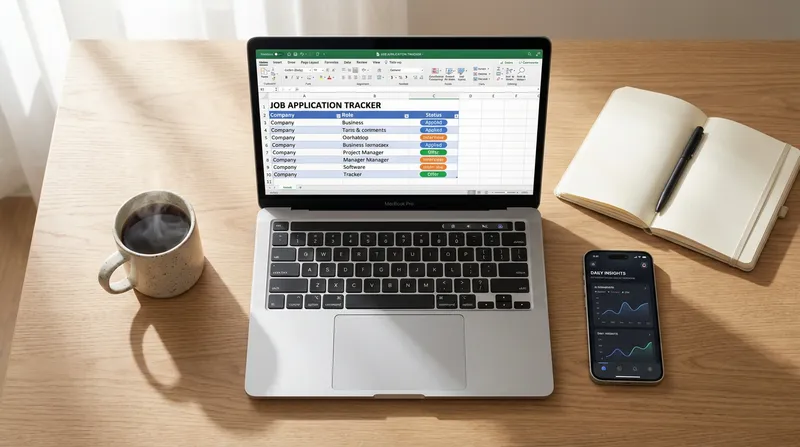
You've sent out 50 applications this month, and all you hear is radio silence. The problem is not necessarily your experience. Often, the issue is your organization and positioning. When you are deep in a job hunt, keeping track of every resume version, interview date, and recruiter email quickly becomes overwhelming.
A job search that stretches beyond a few weeks can be genuinely exhausting. Staying organized does not just improve your results. It reduces the mental load so you can show up to interviews with clarity and confidence. Job seekers frequently feel lost in this chaos, yet they are hesitant to commit to a complex AI tool before they actually understand their own job search bottlenecks.
JobSparrow is built by professionals who have collectively reviewed 100,000+ resumes and hired across four global markets. Through our recruiter-lens, we know that candidates who carefully track their applications and tailor their resumes always outperform those who blindly submit the same generic document everywhere.
If you are relying on your memory or a messy email inbox to manage your career pivot, you are guaranteed to miss opportunities. You need a dedicated system. In this guide, we will provide a free job application tracker template for Excel and Google Sheets, show you exactly what metrics to track, and explain the hybrid approach: starting manually before upgrading to an AI-powered career advisor.
Why you need a job application tracker
The modern job market is incredibly competitive, and the traditional method of mass-applying simply does not work anymore. Recent research from HiringThing reveals that candidates in today's market submit anywhere from 32 to over 200 job applications before receiving an offer, with only a tiny fraction of cold applications resulting in success.
Despite this reality, many candidates still choose the wrong strategy. According to Monster, 48% of job seekers admit to applying broadly rather than selectively. This high-volume approach without a tracking system leads to generic applications that get instantly rejected by Applicant Tracking Systems (ATS).
A job search tracker spreadsheet forces you to be intentional. It shifts your mindset from passive applying to active pipeline management.
Essential columns for your job search spreadsheet
Building a Google Sheets job application tracker requires more than just listing company names. You need actionable data points that help you follow up efficiently. Authoritative guidance from Indeed advises job seekers to track specific weekly metrics, such as new leads discovered and follow-ups made.
Here are the essential columns every job application spreadsheet must include:
- Company Name & Job Title: Keep this exact to match the job listing.
- Source Link: Paste the URL of the job description. (Listings often get deleted once interviews start, so save the text in a separate document).
- Date Applied: Crucial for calculating your follow-up timeline.
- Resume Version Used: Did you use your standard format, or did you tailor it? Learn more in our guide on how to change your resume format.
- Application Status: Use a dropdown list (Applied, Interviewing, Rejected, Offer).
- Next Action & Date: Note when you need to send a follow-up email.
- Contact Person: Name and email of the recruiter or hiring manager.
The migrant job search: custom tracking for visas
If you are a migrant targeting roles in Australia, New Zealand, the UK, or the US, your tracking needs are significantly more complex. You cannot afford to waste time on companies that do not offer visa sponsorship.
Your career tracking spreadsheet must include these specific columns:
- Visa Sponsorship Offered: (Yes, No, Unsure).
- Relocation Assistance: (Full, Partial, None).
- Work Rights Required: Note exactly what the employer demands upfront.
Tracking these details prevents you from progressing through three interview rounds only to discover the company cannot sponsor your visa. For a deeper dive into this specific journey, read our guide to the 417/462 to 482 visa transition.

Data-driven pivoting: job search metrics tracking
A job hunt organizer template is not just a storage locker. It is a diagnostic tool. Most job seekers fail because they do not use their data to pivot when things go wrong. By tracking your metrics, you can identify exactly where your application process is breaking down.
The most important metric to track is your Interview Callback Rate. Calculate this by dividing the number of interview invitations by the total number of applications sent, then multiply by 100.
- Low Callback Rate (Under 10%): If you apply to 50 jobs and get zero interviews, your resume is the bottleneck. You are likely suffering from vague impact statements or missing evidence. This is the perfect time to use JobSparrow's Gap Filler, an interactive AI coach that identifies and fills the gaps in your career profile.
- High Callback, No Offers: If you are getting interviews but failing to secure the job, your resume is working, but your interview skills need polish. You need to practice with realistic scenarios. Check out why you need an AI voice-based mock interview tool.
Not sure if your resume is the bottleneck? Start with a free CV diagnosis from JobSparrow and get your recruiter-lens score in minutes.
How to create a job tracker in Excel or Google Sheets
Creating your own track job applications excel file is straightforward. Recommendations from the University of Virginia highlight the importance of using Google Drive and spreadsheets to track company information, application deadlines, and network contacts to maintain organization during a job hunt.
Follow these steps to build yours:
- Open a Blank Sheet: Start a new file in Google Sheets or Microsoft Excel.
- Freeze the Top Row: Enter the essential columns listed above into row 1. Select the row, go to View, and freeze it so your headers stay visible as you scroll.
- Create Dropdown Menus: Highlight your "Status" column. In Google Sheets, go to Data, select Data Validation, and create a dropdown with color-coded options (e.g., Yellow for Applied, Green for Interviewing, Red for Rejected).
- Add a Notes Section: Always leave a wide column at the end for personal notes, interview feedback, or details about the company culture.
Free job application tracker templates to download
If you prefer not to build one from scratch, you can easily replicate our recommended format. A best job application tracking sheet should be clean and distraction-free.
Click here to access our Free Google Sheets Job Application Tracker Template (Go to File > Make a Copy to edit).
Alternatively, you can copy this exact header structure into your own spreadsheet:
| Company | Job Title | URL | Date Applied | Resume Version | Status | Follow-Up Date | Contact Name | Visa Sponsor? | Notes |
Highlight the header row, make the text bold, and add a light gray background color. This simple setup will carry you through the initial phases of your job search. However, as your search scales, you will quickly encounter the limitations of manual data entry.
The limitations of manual job tracking
While a free job application tracker template is excellent for your first few weeks, manual tracking eventually breaks down. We call this the 50-application breaking point.
Once you surpass 50 active applications, updating a spreadsheet becomes a tedious chore. You spend more time copying and pasting URLs than actually preparing for interviews. Furthermore, spreadsheets cannot tell you if a job posting is legitimate or a data-harvesting scam. For more on this, read how to spot fake listings on SEEK and Indeed.
Spreadsheets also lack integration. Your tailored resume lives in a folder, your cover letter is in a Word document, and your tracking data is in Excel. This fragmentation creates friction, slowing down your ability to apply to high-quality roles quickly. To understand why modern job seekers are moving away from manual entry, explore why you need a dedicated job application tracker.
When to upgrade to an automated job application tracker
We recommend a hybrid approach. Start with a manual job search planner spreadsheet to understand your baseline metrics. Once you hit 50 applications, or once you realize your callback rate is suffering because you lack the time to tailor each resume, it is time to upgrade to an automated job application tracker.
This is where JobSparrow changes the game. We are not just a resume builder. We are an AI career advisor that coaches you through the entire Offer Path: Diagnose, Position, Execute, Prepare, and Close. Tracking your applications is the foundation of the Execute stage.
When you upgrade to JobSparrow, you replace your static spreadsheet with a dynamic command center:
- Smart Job Search & Recommendations: Stop switching between job boards. Set your preferences, and our AI aggregates and ranks jobs from LinkedIn, Indeed, and Seek, matching them directly to your Master Career Profile.
- Instant Match Scores: Paste a job URL into JobSparrow, and we instantly fetch the details and provide a Match Score showing how well you fit before you even apply.
- Automated Application Tracking: Keep all applications, statuses, tailored documents, and interview prep in one centralized dashboard. Never lose track of where you applied or which version of your resume you sent.
- AI-Guided Gap Analysis: Unlike a spreadsheet, JobSparrow shows you exactly what skills are missing for a specific role and helps you address those weaknesses upfront.
By automating the tedious tracking and tailoring processes, you reduce the time to apply from hours to minutes, allowing you to focus on interview preparation and networking.
Frequently asked questions
How do I track job applications in Excel?
Create a spreadsheet with columns for the company name, job title, date applied, application status, and follow-up dates. Use data validation to create color-coded dropdown menus for your application status, making it easy to see your progress at a glance.
What is the best free job application tracker template?
For beginners, Google Sheets or Microsoft Excel templates are the best free tools because they are entirely customizable. However, for proactive job seekers managing high volumes, upgrading to a centralized AI platform like JobSparrow offers superior organization and automated tailoring.
What job search metrics should I track?
You must track your interview callback rate (interviews divided by applications). Additionally, track the source of your leads (LinkedIn, Indeed, referrals) to see which platforms yield the highest quality responses.
When should I use an AI job tracker instead of a spreadsheet?
You should upgrade to an AI tracker when you exceed 50 active applications, when manual data entry starts taking time away from interview prep, or when you need automated insights to tailor your resume for Applicant Tracking Systems (ATS).
How can I organize my job hunt for free?
Start by creating a Master Career Profile document that holds every skill and project you have ever done. Pair this with a simple Google Sheets tracker to monitor deadlines and follow-ups. When you are ready for professional enhancement, you can start with a free CV diagnosis from JobSparrow.
Should I track ghosted job applications?
Yes, tracking ghosted applications is crucial. If an employer has not responded within three to four weeks, mark the status as "Ghosted" or "Rejected" to keep your pipeline clean. This prevents you from wasting mental energy on dead leads and helps you accurately calculate your true callback rate.
Final thoughts: take control of your career path
A disorganized job search leads to missed deadlines, generic applications, and prolonged unemployment. Whether you choose to start with a free job application tracker template or jump straight into an automated system, the key is to remain intentional and data-driven.
Ready to land more interviews? Stop guessing what recruiters want. Start with a free diagnosis from JobSparrow. See your recruiter-lens score and uncover the exact gaps costing you interviews in minutes. Unlock the full Offer Path for a one-time $129, with no auto-renewal, and let our AI guide you from your first application all the way to the final offer.
Tags
Keep reading
Recommended articles.
career change · resume format
The Best Career Change Resume Format for 2026 (Section-by-Section Guide & Templates)
Discover the best career change resume format for 2026. Learn how to highlight transferable skills, beat ATS bots, and confidently land your new dream job.
personal ats · job application tracker
Beyond Spreadsheets: How to Build a Personal ATS (Job Application Tracker)
Ditch your job search spreadsheet. Build a personal ATS to track applications, manage tailored resume versions, and land more interviews with less burnout.
career pivot · ai job search
The 'Reverse' Job Search: Using AI to Discover Alternative Careers From Your Master Profile
Discover alternative careers from your existing skills. JobSparrow's reverse job search strategy finds roles you qualify for right now. Start free.