
ats resume format
How to Change Your Resume Format for ATS & Career Changes (Without Starting from Scratch)
By Job Sparrow Team
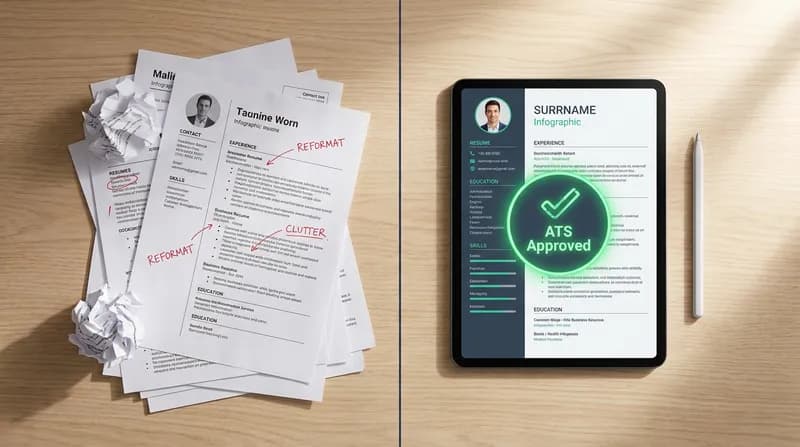
You have spent hours agonizing over Microsoft Word tables, margins, and fonts every time you need to tweak your application for a new role. This manual formatting nightmare is a universal frustration. It is compounded by the terrifying "ATS black hole" and the overwhelming dread of starting completely from scratch when pivoting careers or moving to a new country like Australia or New Zealand.
The problem is not your experience. It is the way your career data is trapped in a static, easily broken document. When you decide to convert your resume to an ATS format, you usually end up deleting all the design elements you worked so hard to build. Job hunting is stressful enough without having to become a graphic designer just to get your application read.
Getting your format right is the first step on the Offer Path, from diagnosis to offer. In this guide, we will show you exactly how to reformat a resume the right way. We will cover the strategic times you need a resume format change, how to beat the ATS filters, and how JobSparrow's Master Profile acts as the ultimate AI resume format changer. You can input your data once and let the technology instantly adapt it into different templates tailored to specific job descriptions.
The formatting nightmare costing you interviews
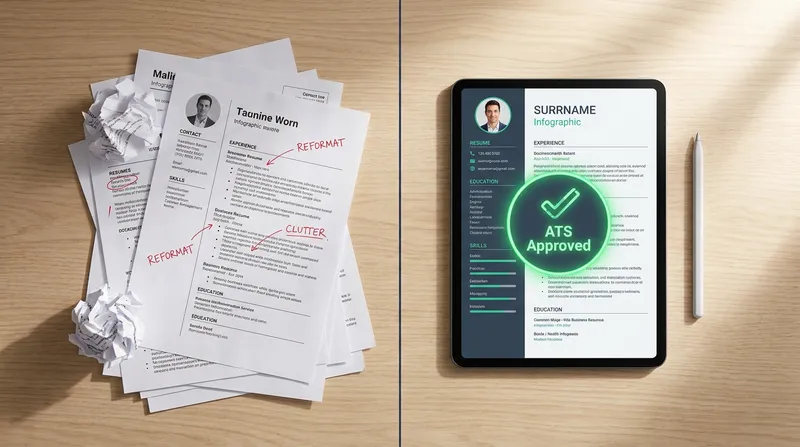
You find the perfect job posting, but your current resume highlights the wrong skills. You open your document, try to move a single bullet point, and suddenly the entire page layout shatters. The margins disappear, the columns overlap, and your carefully crafted professional document looks like a digital disaster.
Fixing broken resume layouts in Word is a massive waste of time, but ignoring the problem is even worse. At JobSparrow, our team has reviewed over 100,000 resumes across four global markets. When we apply our "recruiter lens" to a document, we spot bad formatting in seconds. A cluttered, broken layout signals a lack of attention to detail, but poor formatting does more than just annoy human recruiters. It actively breaks the software companies use to hire.
Applicant Tracking Systems (ATS) are the digital gatekeepers of the modern job hunt. According to industry research from Oracle, 99% of Fortune 500 companies use an ATS in their hiring process. If your document is filled with complex tables, hidden text boxes, or unusual fonts, the ATS parser will scramble your information.
In our recruiter lens reviews, the single most common formatting failure we see is not tables or columns. It is contact information buried in a Word header, which renders completely invisible to the ATS. We have seen strong candidates missed entirely because of this one mistake. To fix this, you must change your approach and separate your career data from the visual design.
What is an ATS-friendly resume format? (And why yours might be failing)
Before you can fix your document, you need to understand what an Applicant Tracking System actually does when it scans your file. An ATS is designed to extract text, categorize your experience, and make your profile searchable for recruiters.
There is a viral myth on social media claiming that an ATS will automatically reject 75% of candidates before a human ever sees their application. A comprehensive study published by Enhancv revealed that 92% of recruiters confirm their ATS platforms do not auto-reject resumes based on formatting or content. Instead, these systems rank candidates based on keyword matches and readability.
While poor formatting does not trigger a robotic auto-reject, it prevents the software from reading your keywords. This causes your profile to rank so low that the recruiter never scrolls down to find you. The University of Utah offers clear guidelines on ATS limitations, noting that the software struggles heavily with complex formatting, graphics, and unusual fonts. To ensure your document parses correctly, you must avoid the following elements:
- Tables and columns: Most older ATS platforms read left to right, completely ignoring column dividers and scrambling your text.
- Headers and footers: Crucial contact information placed in the header of a Word document is often completely invisible to the parser.
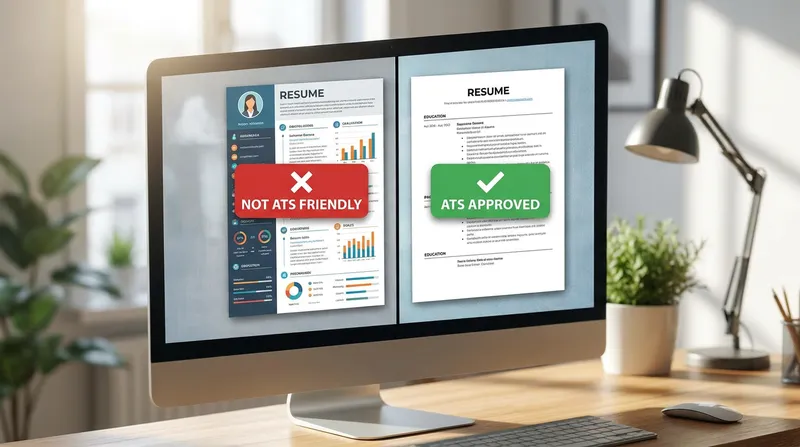
- Graphics and icons: Skill bars, pie charts, and social media icons cannot be read by text-based algorithms.
- Uncommon fonts: Stick to standard, web-safe fonts like Arial, Calibri, or Helvetica.
Actionable Tip: If you want to convert a PDF to an ATS format, try this simple test. Open your current PDF resume, highlight all the text, copy it, and paste it into a plain text editor like Notepad. If the text appears scrambled, out of order, or missing entirely, your resume is failing the ATS test.
The best career change resume format (Hint: it is not functional)
Pivoting to a new industry brings a unique set of formatting challenges. You have valuable experience, but your previous job titles do not align with the roles you are targeting now. You need a career change resume format that highlights your transferable skills without making you look unqualified.
For decades, career coaches told job seekers to use a "functional resume" when changing careers. A functional resume groups your achievements by skill category rather than chronological work history. While this sounds great in theory, it is a disaster in practice.
According to recruitment experts at FrederickWorks, functional resumes carry a heavy stigma. Recruiters hate them because they hide the timeline of your career, making it impossible to tell where and when you actually used specific skills. Furthermore, an ATS relies on dates and job titles to calculate your years of experience, and a functional layout strips this data away completely.
The ultimate solution for career changers is the Hybrid format (also known as the Combination format). The University of Pennsylvania validates the strategy of using a combination resume to place equal emphasis on both transferable skills and chronological experience.
Here is how to structure a hybrid resume to pass both ATS checks and human recruiter reviews:
- Professional Summary: Start with a powerful, three-sentence summary that clearly states your new career goal and the transferable value you bring.
- Core Competencies (Skills Section): List 6 to 9 highly relevant keywords pulled directly from the new job description.
- Selected Achievements: Highlight two or three major accomplishments that prove your transferable skills, regardless of which job they occurred in.
- Chronological Work History: List your past roles in reverse chronological order. Keep the bullet points brief, focusing only on the metrics and duties that align with your new path.
By using a hybrid approach, you give the ATS the dates and titles it needs while giving the human recruiter the narrative they want. For more detailed examples of this structure, check out our guide on The Best Resume Templates for a Career Change (And Why Hybrid Beats Chronological) | Blog | JobSparrow.
Migrating to Australia or New Zealand: adapting your format
If you are a migrant adapting a US or UK resume for the Australian or New Zealand job market, you are facing a completely different set of formatting rules. What works in New York or London will often get you rejected in Sydney or Auckland.
The most significant difference is length. While US resumes strictly adhere to a one-page rule, Australian and New Zealand resumes are expected to be highly detailed. A standard professional CV in AU/NZ is typically two to three pages long. Employers in these regions want to see comprehensive context around your achievements, including the size of the teams you managed and the specific budgets you handled.
Additionally, localizing your document is critical. You must clearly state your working rights or visa status at the very top of your profile. If a recruiter in Melbourne cannot immediately tell if you are legally allowed to work in Australia, they will move on to the next candidate.
You also need to adjust your spelling (using UK/Australian English rather than US English) and ensure your contact details include a local phone number. If you are struggling to break into the market, formatting your document to meet local expectations is your first line of defense. Learn more in our comprehensive breakdown: How to Get a Job in Australia Without Local Experience (2026 Guide) | Blog | JobSparrow.
How to reformat a resume manually (The hard way)
If you insist on avoiding AI and want to manually convert your resume to an ATS format, you need to prepare for a tedious process. Manual formatting requires you to strip away all the design elements that make your document unique and rebuild it from the ground up.
Here is the step-by-step guide to reformatting your resume the hard way:
- Start with plain text: Open your current resume, copy all the text, and paste it into Notepad (Windows) or TextEdit (Mac). This strips away all hidden formatting, tables, and columns.
- Open a fresh Word document: Create a new, blank document in Microsoft Word or Google Docs. Set your margins to a standard 1 inch on all sides.
- Choose a safe font: Select a universal font like Arial, Calibri, or Times New Roman. Set the body text to 11 or 12 points, and the section headers to 14 or 16 points.
- Paste and organize: Paste your plain text back into the new document. Organize the information using standard, universally recognized headings (e.g., "Work Experience", "Education", "Skills").
- Use simple bullet points: Replace any custom icons or checkmarks with standard, round bullet points. Ensure each bullet point starts with a strong action verb.
- Save as a text-based PDF: When you are finished, export the document as a PDF. Ensure it is a standard text PDF, not an image-based scan.
For a 20-job search, this manual process costs the average applicant 30 or more hours of formatting work, time that should be spent preparing for interviews. This level of administrative burnout is exactly why you need to automate your job search. Stop wasting time in Word and start tracking your progress effectively. Read more on why you must Ditch the Spreadsheet: Why You Need a Dedicated Job Application Tracker in 2026 | Blog | JobSparrow.
How to reformat a resume using AI (The JobSparrow Master Profile)
The modern solution to the formatting nightmare is simple: stop trying to maintain a single, static document. Instead, you need to separate your career data from your visual design. This is the core philosophy behind the JobSparrow Master Profile.
Think of the Master Profile as your centralized career database. It holds every skill you have ever learned, every project you have ever completed, and every metric you have ever achieved. You input your data once, and you never have to worry about margins or columns again.
When you find a job you want to apply for, JobSparrow acts as your personal AI resume format changer. The AI analyzes the specific job description, identifies the must-have skills, and intelligently selects the most relevant experience from your Master Profile. It then instantly generates a perfectly formatted, ATS-compliant resume tailored specifically to that role.
The platform also features a Match Score to instantly show how well your profile aligns with a specific job description. If you are missing key metrics, the Gap Filler AI coach walks you through targeted questions to strengthen your achievements naturally. What used to take an hour of manual editing now happens in under 60 seconds, allowing you to download a pristine PDF or DOCX file instantly.
Want to see how your current CV scores against a recruiter lens? Upload it for a free diagnosis and get your score in minutes.
This technology is especially powerful for career changers. The AI can rewrite your bullet points to match the new industry's terminology, seamlessly framing your past experience as highly relevant transferable skills. Discover exactly how this works in our guide: How to Write a Career Transition Resume That Translates Your Skills (2026 Guide + Examples) | Blog | JobSparrow.
Dealing with job titles and gaps in your new format
When you reformat your resume using AI, you might feel anxious about how to handle mismatched job titles or employment gaps. These are substantive issues that require a strategic "recruiter lens" to solve.
If your past job title does not reflect the actual work you did (for example, you were titled "Operations Associate" but you functioned as a "Project Manager"), you need to align your title with industry norms. The safest format is to list your official HR title, followed by your functional title in parentheses. This ensures you pass background checks while still hitting the right ATS keywords. Learn the exact rules for this in our recruiter breakdown: Can You Change Your Job Title on a Resume? A Recruiter's Guide to Background Checks & ATS | Blog | JobSparrow.
Employment gaps are more common than ever, and most recruiters understand this, but the way you present them in your document still matters. Do not try to hide a gap by removing months from your dates, as ATS parsers will flag inconsistent date formats immediately. Instead, format the gap as its own entry if it lasted longer than six months, title it "Career Break", and include a brief explanation. JobSparrow's Gap Filler AI coach helps you address these periods smoothly during the profile building phase.
Stop starting from scratch: your next steps
Redesigning a CV should not require a degree in graphic design. Spending hours manually copying, pasting, and fixing broken layouts in Microsoft Word drains the energy you should be using to prepare for interviews.
By understanding how Applicant Tracking Systems actually read your data, you can stop relying on outdated functional formats and start using a powerful hybrid approach. Better yet, you can completely eliminate the manual labor by leveraging modern AI tools.
JobSparrow's Master Profile is the ultimate time-saver. By inputting your career data into a centralized database, you empower our AI to instantly adapt your experience into tailored, ATS-friendly formats for every single job application. You get higher quality applications submitted in a fraction of the time.
Ready to land more interviews? Start with a free diagnosis to see your recruiter-lens score and the exact gaps costing you interviews in minutes. From there, you can unlock the full Offer Path for a one-time payment of $129, with no auto-renewal. Start your free diagnosis with JobSparrow today.
Frequently asked questions
Can an ATS read a PDF format?
Yes, most modern ATS platforms can easily read PDFs, provided they are text-based and not saved as flat images. However, complex formatting inside the PDF (like tables, columns, and graphics) can still cause parsing errors. Always ensure your PDF is generated from a clean, text-based document.
How do I convert my current resume to an ATS format?
You can convert it manually by copying your text into a plain text editor to strip away tables, columns, and graphics, then pasting it into a simple Word document. Alternatively, you can use an ATS resume converter like JobSparrow to automatically extract your data and place it into a compliant, professionally designed template.
Is a functional resume bad for a career change?
Yes. While historically recommended for career changers, functional resumes hide your chronological work history. This confuses ATS parsers (which need dates to calculate experience) and makes human recruiters suspicious that you are hiding something. A hybrid format is much safer and more effective.
Does my resume format need to change for Australian jobs?
Yes. Australian and New Zealand formats typically run longer (two to three pages) than standard US resumes. They also require specific localization, such as clearly stating your working rights or visa status at the top of the document, and using local spelling conventions.
Can AI automatically adjust my resume format for different jobs?
Absolutely. An AI resume format changer uses a Master Profile of your experience to instantly generate a tailored, ATS-friendly document. It analyzes the specific job description, selects your most relevant achievements, and formats them perfectly without you ever having to adjust a margin or font.
Tags
Keep reading
Recommended articles.
engineers australia · cdr resume format
Engineers Australia CDR Resume Format: 2026 ANZSCO Guide for Skills Assessment
Master the 2026 Engineers Australia CDR Resume Format. Align with ANZSCO codes, pass your skills assessment, and get a free diagnosis at JobSparrow.
resume gap · caregiving
How to Explain a Resume Gap for Family Care (With Examples)
Learn how to explain a resume gap for family care. Discover resume examples, interview scripts, and tips to highlight transferable skills.
career change · resume formatting
From Generalist to Specialist: How to Focus a 'Jack of All Trades' Resume
Learn how to write a resume with diverse experience. Use our Strategic Unbundling framework to tailor your jack of all trades background for specialist roles.